Link in Bio for Graphic Designers: Your Page Should Look as Good as Your Work
A graphic designer with a generic bio page is sending the wrong signal
There's something quietly contradictory about a designer spending hours perfecting a client's brand identity and then linking out from their Instagram to a plain white Linktree with default fonts and a platform logo at the top. It's not a disaster. But it's a mismatch — and people in visual fields notice mismatches. The bio page is part of your portfolio whether you treat it that way or not.
Most designers use Linktree because it was one of the first tools available and it works well enough. That's a perfectly reasonable reason to use something. But "works well enough" is a low bar for someone whose entire professional value is built around making things look and function better than they need to. The bio page is an easy win. It takes 20 minutes to set up correctly. It's worth doing.
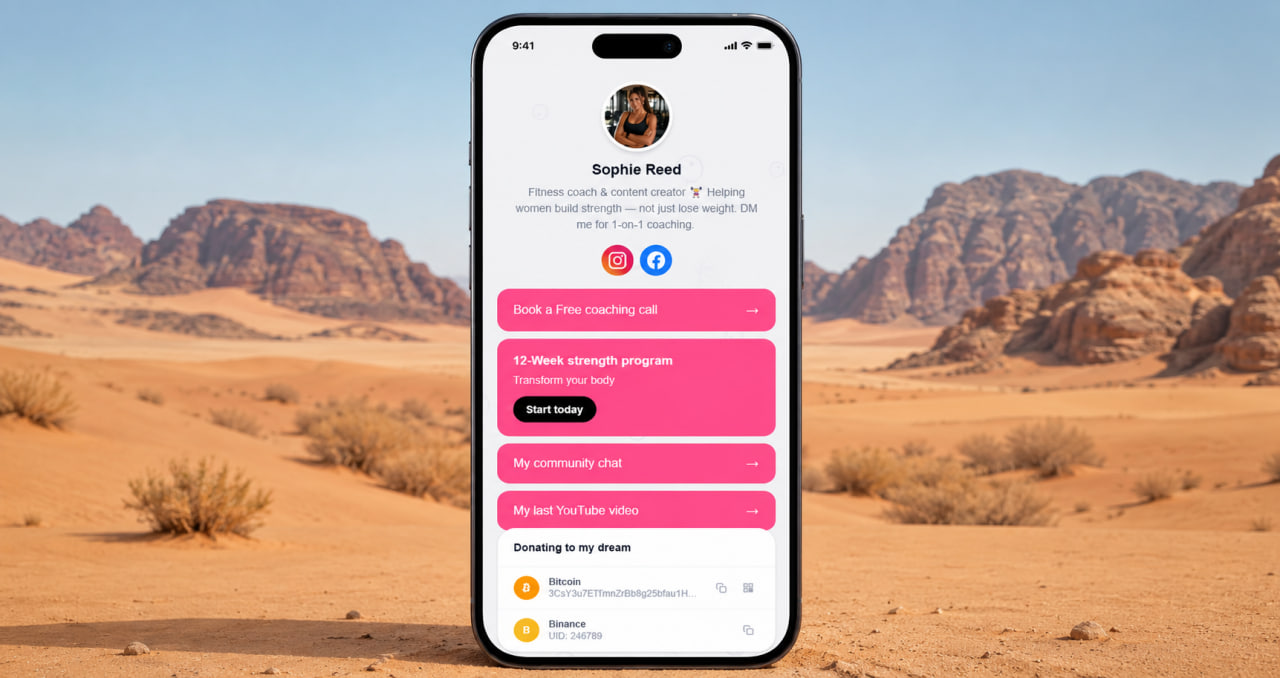
Show everything in one place — portfolio, contacts, and context
Graphic designers typically have work scattered across platforms. Behance for the full case studies. Dribbble for the quick shots. GitHub if they do any UI work with code. LinkedIn for the professional history. A personal portfolio site if they've built one. A contact form or email for inquiries. An Instagram showing process work and personal projects. None of these is complete on its own — but together they tell the full story of what a designer can do.
The bio page collects all of it under one address. A client or recruiter clicks once and can navigate to whichever part of your work is relevant to them. No searching, no asking you for additional links, no landing on your Dribbble and wondering if you have case studies somewhere. ClickInk has no link limit, so you add everything without deciding what to leave out. The page is complete. That's the point.
You're the professional when it comes to design. Hand off the link management to people who are professional about traffic and conversions. Your job is to make great work visible — not to wrestle with link limits and default templates that were never built with designers in mind.
Create your link-in-bio page free
No credit card. No bland templates. Ready in 2 minutes.
Get started free →The design of your page is part of the work you're showing
When a potential client lands on your bio page, they're already forming an opinion about your taste. A page with a parallax background, clean typography, and a considered color scheme communicates something different than a default template with a stock gradient. Both have links. One feels designed. The other feels like a placeholder.
ClickInk gives you enough design control to make the page feel intentional. Custom backgrounds, animated patterns, font choices, layout options. It's not a full design tool — you're not building a website from scratch. But it's enough to make a page that reflects your aesthetic rather than someone else's default settings. For a designer, that bar matters. The free plan includes these options. You don't pay to unlock the ability to make something that looks good.
No platform branding competing with yours
Linktree puts its logo on your page. Some plans reduce it, some don't remove it entirely. For most users that's fine — they're not in the business of brand consistency. For a graphic designer, it's a different calculation. Your page should have one brand on it: yours. Not a subtle co-branding situation with a tool you happen to be using.
ClickInk doesn't put its branding on user pages. Free plan included. When someone lands on your bio page, they see your name, your photo, your links, your design choices. That's it. Small detail — but for someone who thinks carefully about how brands present themselves, it's exactly the kind of detail that matters.
ClickInk — designed for people who notice design
Parallax backgrounds, custom fonts, no branding on your page. A bio page that actually reflects your work.
Try free →A bio page that replaces a website for most client conversations
Not every designer needs a full portfolio website. Some do — particularly those going after large agency clients or competitive creative director roles where a polished site is expected. But for a significant portion of designers doing freelance work, brand identity projects, or building a personal practice, a well-built bio page is sufficient. It loads faster than most portfolio sites. It's easier to update. It works well on mobile, which is where most people will see it first.
The pitch is simple: Behance link for case studies, Dribbble link for visual samples, Instagram for process and personality, contact email or form for inquiries, LinkedIn for professional context. Five or six links arranged clearly on a page that looks like you made it. That's enough to start a client conversation and enough to close most inquiries. You don't need more infrastructure than that until you actually need more infrastructure.
Built for creators who use their bio link as a real tool
ClickInk was designed for people who actively use their bio link — not as a checkbox they filled in once but as a daily part of how they connect their audience to their work. Designers who post regularly on Instagram, share process on TikTok, or run a newsletter have a link that's working for them constantly. The page needs to hold up every time someone clicks it. Clean, fast, no ads, no platform clutter, no embarrassing watermarks. Available in 35 languages for designers working internationally.
Your page at click.ink/yourname
Free to start. No credit card. Works on Instagram, Behance, Dribbble and everywhere else.
Create your page now →