Link in Bio for YouTube: One Page That Works in Both Directions
YouTube traffic and social traffic are two different flows. Your bio page handles both.
A YouTuber's relationship with their bio link depends on their model. If YouTube is the main channel and everything else feeds it — Instagram, TikTok, Twitter — the bio link is where social followers land when they want to find the channel. New video notification goes in the bio. Subscribe link goes at the top. The page pulls people toward YouTube.
If YouTube is the platform but the money comes from somewhere else — a shop, a course, a membership, affiliate links, brand deals — then the bio link runs the other direction. YouTube descriptions say "link in bio" and the page collects everyone who came from a video and wanted to go further. Both models are valid. The bio page serves both. The difference is just what goes at the top.
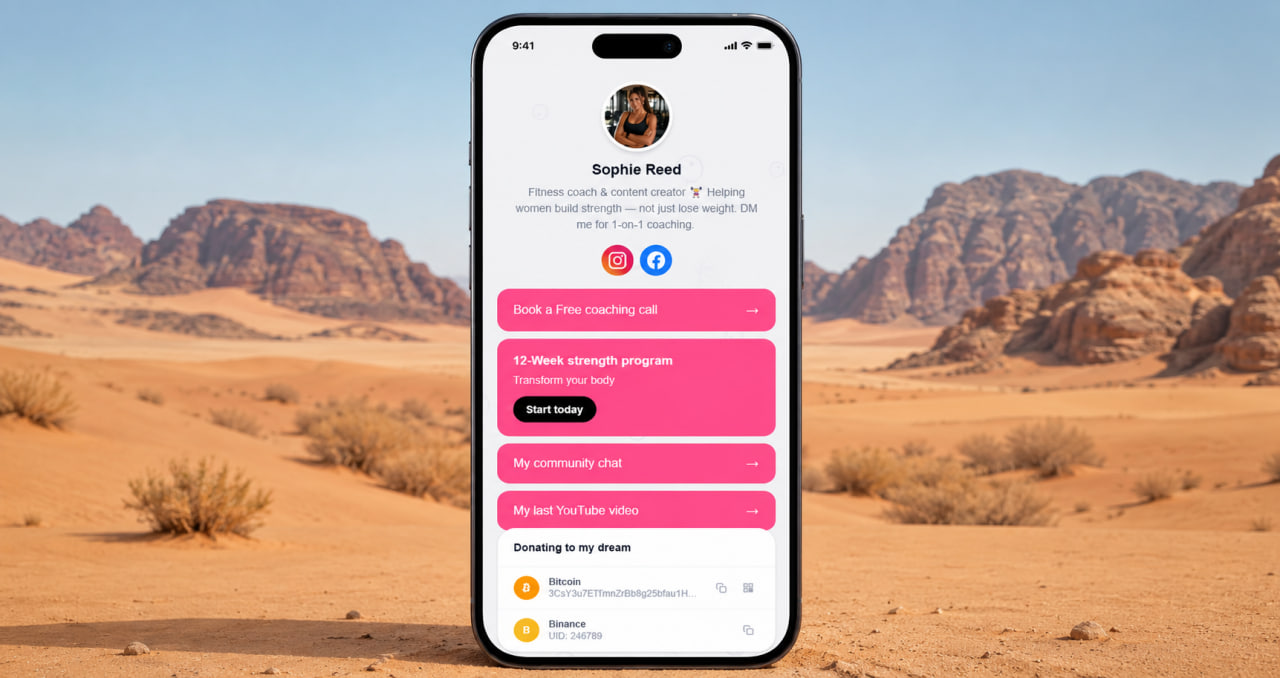
Anchoring the audience across platforms
A subscriber on YouTube doesn't automatically follow you on Instagram. A follower on TikTok might not know your channel exists. The bio page is the fixed point where all of those audiences can find each other — and find you, regardless of which platform they started on. One address that collects every platform, every project, every way to stay connected.
This matters especially when platforms change. Algorithm shifts, policy changes, account issues — any platform can become less reliable for reaching your audience overnight. The creator who has anchored their audience to a bio link they control has a fallback. The creator who relied entirely on one platform's native features doesn't. The bio page isn't backup infrastructure. It's the spine of the whole operation.
Build your creator hub free
YouTube, Instagram, TikTok, shop, merch — all in one place. No credit card needed.
Get started free →For creators who sell — the bio page is the storefront
A YouTuber with a merch line, a course, an affiliate program, and a Patreon has four separate revenue streams that all need to be visible and accessible in one place. YouTube descriptions can hold links but they're buried. The bio link — shared in every video, every community post, every short — is the page that collects all of it cleanly.
ClickInk's products block shows merch or digital products with photos and descriptions. The services block handles courses, coaching, or memberships. The crypto block handles any wallet addresses or donation links without ClickInk branding on it. No ads between your revenue links. No platform logo competing with yours. Everything you sell, clearly presented, one tap from anyone who watches your content.
ClickInk — YouTube, shop, social, and more in one free page
No link limits, no ads, no platform branding. 35 languages for international audiences. Free to start.
Try free →One update, every platform at once
When a new video drops, you update the bio page. Every Instagram bio, every TikTok profile, every Twitter link that points to your page reflects the change immediately. You don't go platform by platform updating "link in bio" references. You change the page once. The audience finds the new video regardless of which platform they clicked from. That's the leverage a well-built bio page gives a creator who publishes regularly — less time maintaining links, more time making content. ClickInk has no link limits, no ads, no watermarks. 35 languages. Free to start.
Your page at click.ink/yourname
Free to start. No credit card. Works on YouTube, Instagram, TikTok and everywhere else.
Create your page now →