Linktree Not Working? The Real Problem Might Be the Page Itself
Linktree goes down sometimes. But that's not the only way it stops working.
If Linktree is technically down — pages not loading, links not resolving — that's a platform reliability issue and it happens. Check their status page, wait it out, consider whether a tool millions of people depend on going dark without warning is something you want to build on long-term.
But there's a different way Linktree stops working that has nothing to do with outages. A page of plain buttons with no context, no gallery, no services, no personality — that page doesn't convert. It technically functions and still fails. Linktree earns money whether your page performs or not. You don't. That asymmetry is worth thinking about.
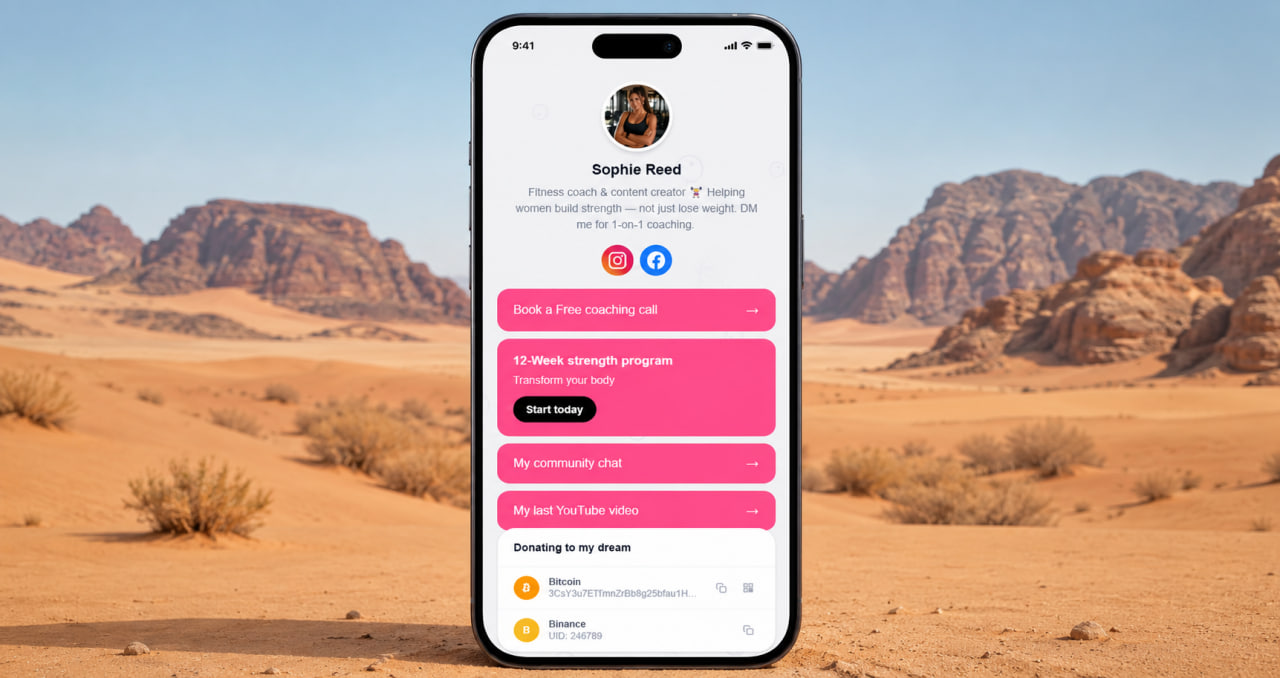
Why a page of buttons is structurally limited
A button tells someone where to go. It doesn't tell them why. "Shop" says less than a product photo with a price and a one-line description. "Book here" says less than a services block that explains what's available, what it costs, and what the experience is like. "About me" says less than a proper text block that answers the question a new visitor is actually asking — who are you and why should I stay on this page.
The page that just has buttons is the page that asks visitors to do the work. Follow the link, explore on your own, piece together who this person is from what you find. Some visitors do that. Most don't. Most leave. The conversion happens when the page does the work — when it shows enough, explains enough, and makes the next step obvious before the visitor has to think about it.
Adding a gallery, services block, and FAQ to a bio page isn't cosmetic. It changes what the page does. It turns a navigation tool into an actual pitch — and the difference in what happens after the click is measurable.
Switch to ClickInk — a page that actually works
Gallery, services, FAQ, no ads, no watermarks. Free. Takes 10 minutes to switch.
Get started free →What a working bio page actually looks like
A gallery that shows your best work before a visitor reads anything. A services block that explains what you offer and what it costs — including one anchor offer that filters the right clients before they contact you. A FAQ that answers the questions that were going to be DMs. Links that feel like offers rather than placeholders. A design that looks considered rather than default.
That page works whether Linktree's servers are up or not — because it's not hosted there. It works because it gives visitors a reason to stay and a clear path to act. ClickInk has gallery, services, FAQ, products, crypto block, parallax backgrounds, 35 languages, no ads, no watermarks, no link limits — all on the free plan. Not as an upgrade. As the default.
ClickInk — the page that works, reliably and properly
No outages to wait out. No boring buttons to apologise for. Free plan that's actually complete.
Try ClickInk free →Switch takes 10 minutes. Start tonight.
You don't rebuild from scratch — you rebuild from better. The links stay the same. The URL changes to one that's yours. The page gains a gallery, services, a FAQ, and a design that doesn't look like everyone else on Linktree. Every channel that pointed to your old bio link still works — you just update it once. After that, the page performs instead of just functioning. That's the difference between a tool that earns money from you and one that earns it with you.
Your page at click.ink/yourname
Free to start. No credit card. Switch from Linktree in 10 minutes.
Switch to ClickInk →