How to Add Multiple Links to Your Instagram Bio (2026 Guide)
Instagram gives you one link. That doesn't mean you get to share only one thing.
One bio link is the rule on Instagram. It's been the rule for years and it isn't changing. What changed is what you can do with that one link — because a link-in-bio page turns one URL into a complete hub for everything you want people to find. Shop, booking calendar, YouTube channel, newsletter, portfolio, socials, products, services. All of it, one tap away from anyone who visits your profile.
For many people, this is a genuine discovery. The aggregator concept — one address that collects everything — isn't obvious until you see it. Once you do, the single-link limitation stops feeling like a constraint and starts feeling like a feature. One address. Permanently yours. Update what's behind it any time, from any device, in seconds.
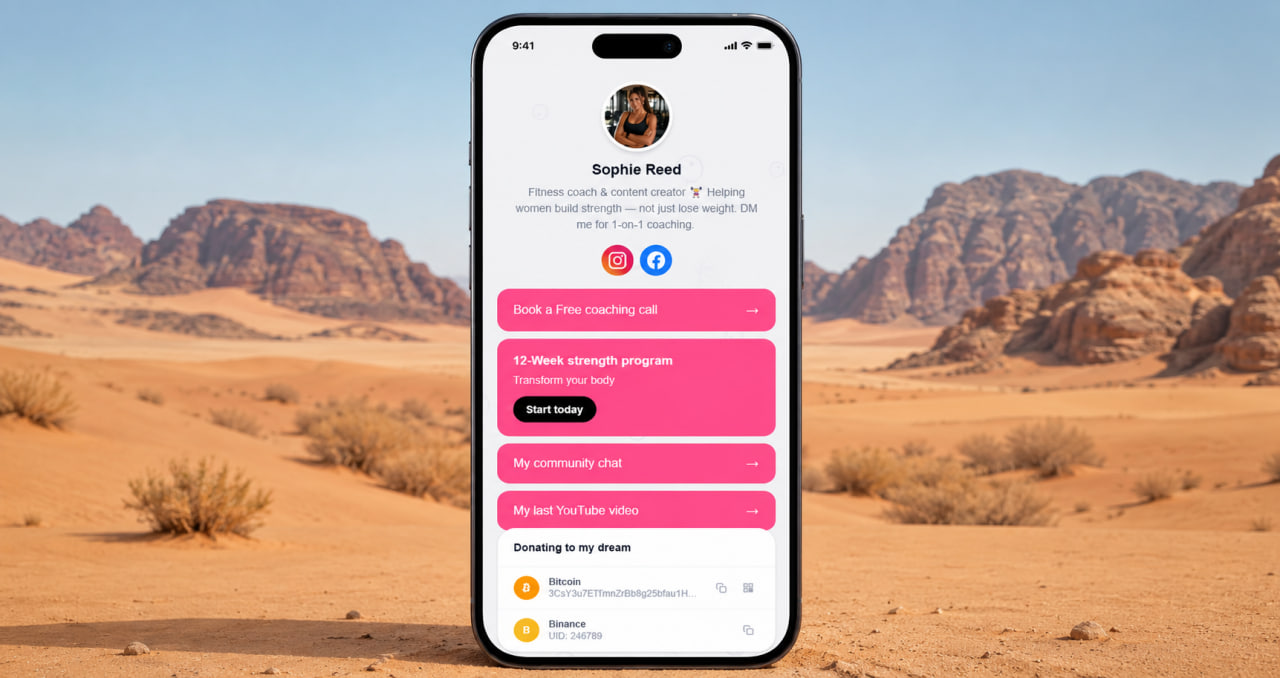
Think of it as a digital business card that never goes out of date
A paper business card has a problem: the moment your phone number changes, your email changes, or you launch a new project — the card is wrong. You can't update it. Everyone who has it has the old version. A bio link page solves this permanently. The address on the card stays the same. What's behind it updates in one place, instantly, and everyone who has ever saved your link or followed you anywhere sees the current version the next time they click.
You gave someone your Instagram handle three years ago. They still follow you. When they click your bio link today, they see your current shop, your current booking link, your latest project. Not a dead link to something you stopped doing in 2022. The page is alive because you control it — and updating it takes less time than printing new business cards.
Build your link hub free — ready in 2 minutes
No credit card. No link limits. Gallery, products, services, FAQ — all in one place.
Get started free →How to set it up — the actual steps
Create an account on a link-in-bio platform. Add your links — every platform, every URL you want people to find. Arrange them in order of importance: the most important action you want visitors to take goes at the top. Add a gallery if you have work to show. Add a services block if you offer something. Add a FAQ if you get the same questions repeatedly. Copy your new page URL. Go to Instagram, edit profile, paste the URL in the website field. Done.
The whole process takes under 10 minutes the first time. After that, updating is seconds — you change what's on the page and every Instagram profile, TikTok, Twitter, and anywhere else that links to the same URL reflects the change automatically. One update, everywhere at once. That's the leverage a single bio link gives you when it points to a page you control.
ClickInk — your link hub, free forever
No link limits, no ads, no watermarks. Gallery, products, services, FAQ. 35 languages. Build it once, update it always.
Try free →What to put on the page
Start with what you most want people to do when they find you. Buy something? Shop link goes first. Book a session? Booking link goes first. Follow you somewhere else? That platform goes first. The rest follows in descending order of importance. Add a gallery if seeing your work would make someone more likely to act. Add a FAQ if the same questions keep appearing in your comments and DMs. Keep it current — a page with outdated links is worse than a page with fewer links. ClickInk has no link limits, no ads, no platform branding on your page. 35 languages. Free to start. The one link Instagram gives you is enough — when it points to the right place.
Your page at click.ink/yourname
Free to start. No credit card. Add it to your Instagram bio in 2 minutes.
Create your page now →